About US
TEst Data

Built for pool aficionados and competitive players seeking authentic real-time multiplayer pool action.
Step into a world adorned with rich wood, warm gold detailing, and vibrant ethnic patterns. Pool Chapaa elevates classic 8-ball billiards into a beautifully crafted premium experience.
The traditional rules you know and love, perfected for highly competitive global matchmaking.
An exclusive high-stakes scoring system designed for true champions seeking a unique challenge.
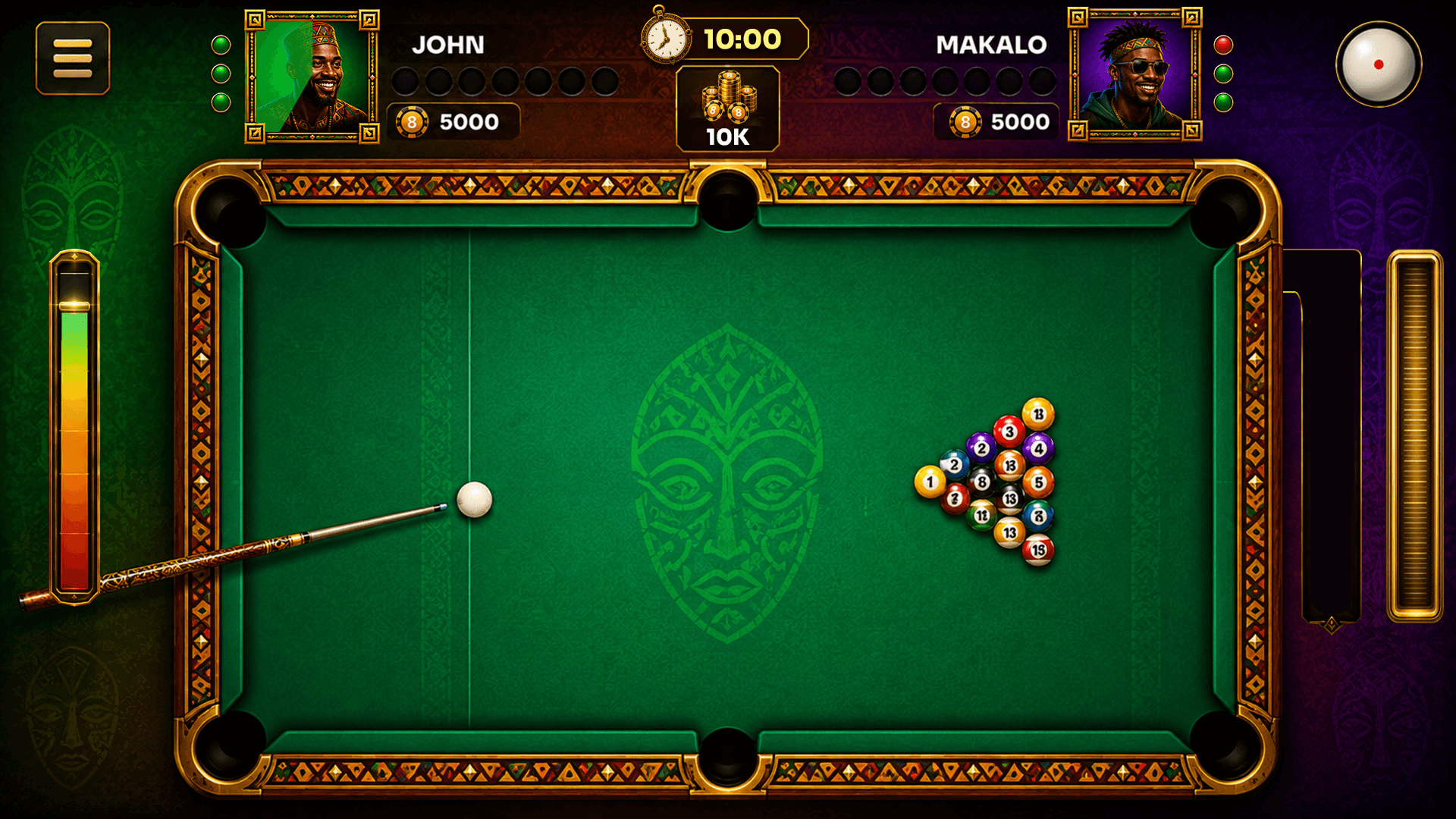
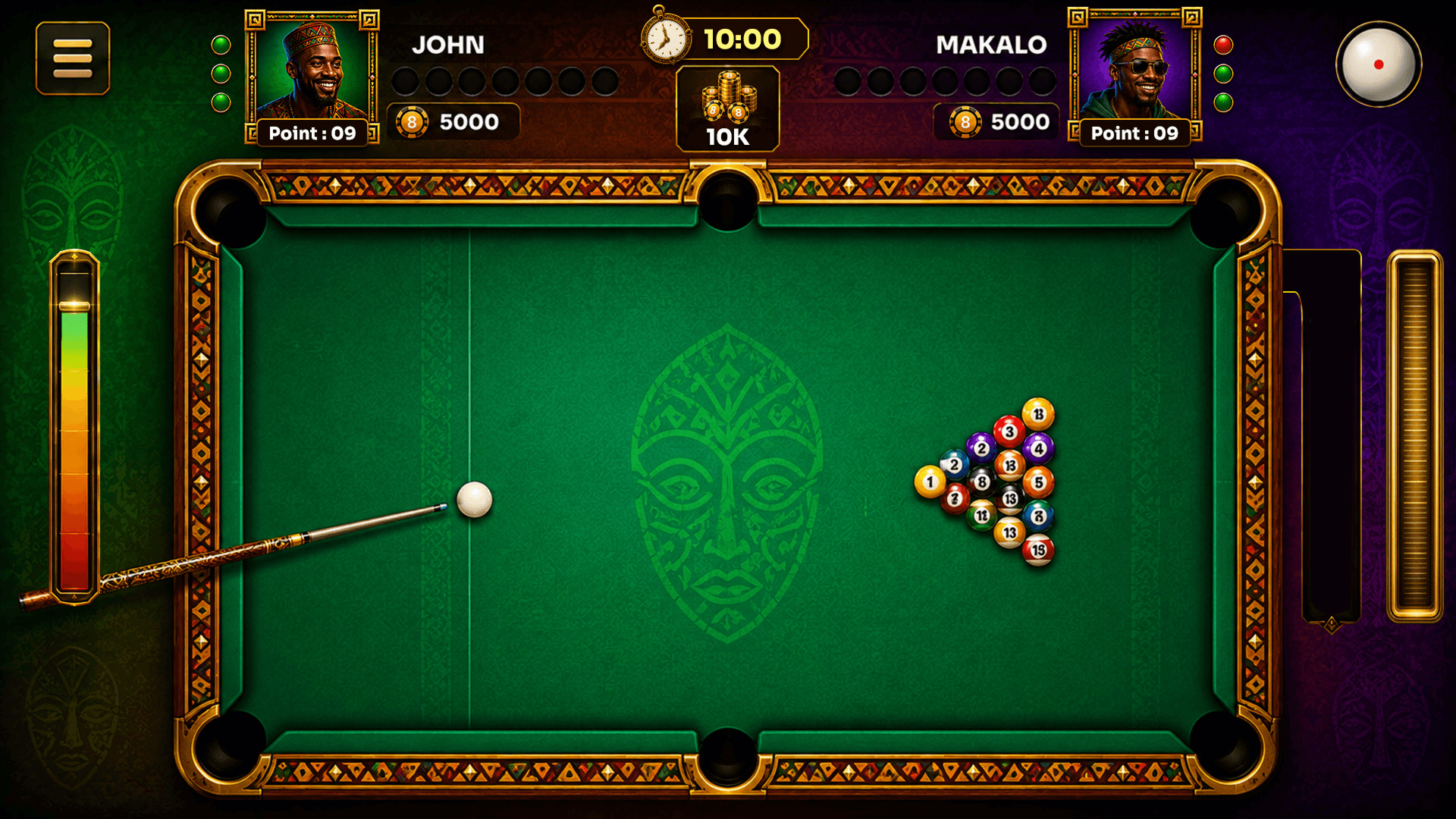
TEst Data
1. Choose a Game Mode and Table
Choose one of the available game modes: PvP Classic or PvP Points. Select the preferred table or entry-fee option. The system checks your wallet balance before starting matchmaking. If your balance is insufficient, add funds before joining.
2. Understand the Pool Table
The table has 15 numbered object balls and one cue ball. Solids are numbered 1–7, stripes are
numbered 9–15, and the black 8-ball is the final ball to be pocketed after your assigned group has been cleared.
3. Start the Match
For a two-player match, the system randomly selects which player takes the break shot. The break shot scatters the balls across the table. If no ball is pocketed on the break, the opponent gets the next shot, subject to the game rules.
4. Aim and Take a Shot
Adjust the cue stick's position and angle to aim. Use the guideline to help see the intended cue-ball direction and contact. Adjust the power meter to choose how hard to strike the cue ball. Take your shot before the configured turn timer expires.
5. Play Your Assigned Group (PvP Classic)
After the break, the first legally pocketed solid or stripe ball determines the player's group. The other player is assigned the remaining group. If both a solid and a stripe are legally pocketed on the break, the table remains open and no group is assigned yet. The breaking player continues their turn. Groups are assigned when a player later legally pockets the first solid or stripe ball. Continue pocketing balls from your assigned group. If you legally pocket a ball from your group, you get another turn. If you do not pocket a ball, the turn passes to the opponent. Clear all balls in your group before attempting the 8-ball.
6. Play PvP Points
In PvP Points, two players compete on the same table and earn points for valid pocketed balls. Each time you pocket one of your assigned balls, you receive one point. If you pocket an opponent's assigned ball, that ball is counted for the opponent and one point is added to the opponent's score. The match is played within the configured time limit, and the score is updated during play.
7. Use Cue Spin and Aim Wheel
To apply spin, open the spin control panel and drag the red marker on the white cue ball to the desired contact point. Every shot starts with no spin unless you change it. The Aim Wheel can be dragged left or right during your turn to rotate the cue direction. Adjust the shot power and release the cue to take the shot.
8. Pocket Selection for the 8-Ball
After all balls in your assigned group have been cleared, select one of the six pockets for the 8-ball. Confirm your selection before taking the shot. You must legally pocket the 8-ball into the selected pocket to win. If you do not select a pocket, cue controls remain disabled until you make a selection.
9. Match Result and Rematch
After the match, the result screen shows the winner's and loser's profile pictures and names, along with
the win amount. You can choose Rematch or Exit to Lobby. A rematch starts only if both players accept
within the configured time and both have enough wallet balance.
1. Balls and Groups
• The game uses 15 object balls numbered 1–15 and one cue ball.
• Solids are balls 1–7.
• Stripes are balls 9–15.
• The black 8-ball must be pocketed after all balls in the player's assigned group have been cleared.
2. Break Rules
• The first break player is selected randomly from the two players.
• The break shot is intended to scatter the balls.
• If the 8-ball is pocketed on a legal break, the player wins immediately.
• If no ball is pocketed on the break, the opponent gets to shoot.
• If both a solid and a stripe are legally pocketed during the break, the table remains open and no group is assigned.
3. Ball Group Assignment
• After the break, the first legally pocketed solid or stripe determines the player's group.
• The other player is assigned the remaining group.
• If both groups are legally pocketed on the break, the table remains open until a solid or stripe is legally pocketed during a subsequent successful shot.
• Players must continue pocketing balls from their assigned group until that group is cleared.
4. Turns and Shot Timer
• Each player has the configured number of seconds to take a shot.
• If a player legally pockets a ball from their assigned group, they get another turn.
• If the player does not pocket a ball, the turn passes to the opponent.
• If the shot timer expires before a shot is taken, the turn ends automatically and passes to the opponent.
5. Fouls and Ball in Hand
The following are fouls according to the supplied game document:
• Pocketing the cue ball.
• Pocketing a ball from the opponent's assigned group.
• Failing to hit a ball from the player's assigned group as the first impact.
• Failing to hit any ball.
• Sending the cue ball off the table.
• After the cue ball hits an object ball, no ball touches a cushion (table edge).
When a foul occurs, the player's turn ends and the opponent receives Ball in Hand, allowing the opponent to place the cue ball before taking the next shot.
6. 8-Ball Winning Rules and Pocket Selection
• A player can attempt the 8-ball only after all balls in their assigned group have been cleared.
• Pocketing the 8-ball before clearing the assigned group results in the opponent winning.
• Before attempting the 8-ball, the player must select one of the six pockets. The selected pocket cannot be changed after confirmation.
• The player wins only if the 8-ball is legally pocketed into the selected pocket.
• If the 8-ball enters a different pocket or a foul occurs on the attempt, the opponent wins.
• If the cue ball and 8-ball are pocketed together, the opponent wins.
• If the 8-ball remains on the table, play continues according to the game rules.
• If the 8-ball is legally pocketed into the selected pocket, the player wins immediately, even if one or more of the opponent's remaining balls are pocketed during the same shot.
7. PvP Points Scoring and Match End
• Each player's valid pocketed ball from their assigned group earns one point.
• If a player pockets an opponent's assigned ball, one point is awarded to the opponent for that ball.
• The match ends when the configured match timer expires, after the current shot is completed.
• If neither player scores any points, both entry fees are fully refunded. No winner or loser is declared, and no leaderboard points or rewards are awarded.
• If both players have the same score, compare the number of balls pocketed. If still tied, compare fouls; the player with fewer fouls wins. If fouls are also equal, the match is a draw, the prize pool is split equally, and both players receive the same leaderboard points.
8. Missed Turns and Disconnection
• If a player misses the configured number of turns, the player is removed from the match and the opponent is declared the winner.
• A warning is displayed after each missed turn. The missed-turn counter resets when the player takes a valid shot.
• If a player disconnects during a match, the system starts the reconnection timer and saves the game state. If the player reconnects in time, the match resumes. If not, the match ends and the opponent is declared the winner.
9. Rematch Rules
• After the result screen, players can choose Rematch or Exit to Lobby.
• Both players must accept the rematch within the configured time limit.
• If either player does not accept in time, the rematch is cancelled and both players leave the rematch lobby.
• The Rematch button is disabled if either player does not have sufficient wallet balance.
• If all checks pass, the entry fee is deducted from both players and a new match is created using the same table configuration.
10. Game Customization
The game document states that the following settings can be configured for gameplay:
• Scoring values/custom scoring rules.
• Time allowed per move.
• Total match time limit.
• Number of predefined board arrangements available for each game mode.
The match timer ends the match after the current shot is completed.
11. Cue Controls and Customization
• Cue spin is set to no spin at the start of every shot unless the player changes it.
• Players can drag the red marker on the cue ball to select the contact point for spin.
• The Aim Wheel rotates the cue direction and is available only during the player's turn.
• Six cue stick skins are available by default. All six are unlocked, and players can select any skin at any time. Only one skin can be active at a time.